- English
- Español
- Português
- русский
- Français
- 日本語
- Deutsch
- tiếng Việt
- Italiano
- Nederlands
- ภาษาไทย
- Polski
- 한국어
- Svenska
- magyar
- Malay
- বাংলা ভাষার
- Dansk
- Suomi
- हिन्दी
- Pilipino
- Türkçe
- Gaeilge
- العربية
- Indonesia
- Norsk
- تمل
- český
- ελληνικά
- український
- Javanese
- فارسی
- தமிழ்
- తెలుగు
- नेपाली
- Burmese
- български
- ລາວ
- Latine
- Қазақша
- Euskal
- Azərbaycan
- Slovenský jazyk
- Македонски
- Lietuvos
- Eesti Keel
- Română
- Slovenski
- मराठी
- Srpski језик

How Does an Exit Sign PCBA Work During a Power Failure?
An exit sign is expected to remain visible when normal power is interrupted, so the PCBA (Printed Circuit Board Assembly) plays an important role in managing the transition from normal power to emergency operation. The exact circuit design varies by product, but the basic process usually involves power detection, battery management, power switching, and LED control.
What Happens When Normal Power Is Available?
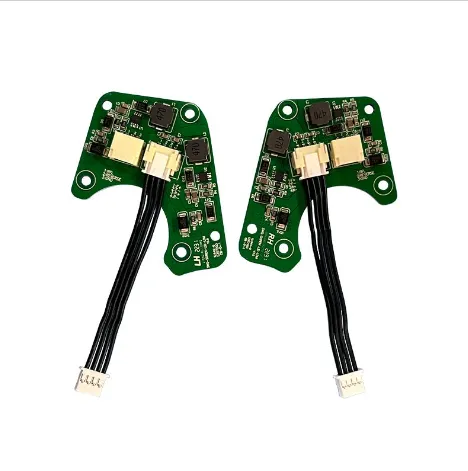
Under normal conditions, the Exit Sign PCBA receives power from the main electrical supply and provides the required power for the LED light source.
At the same time, the PCBA can manage the backup battery so that it remains ready for emergency operation. Depending on the product design, the circuit may also monitor charging status and provide an indicator for the operating condition.
In this state, the main power supply handles normal operation while the battery remains available as a backup source.
How Does the PCBA Detect a Power Failure?
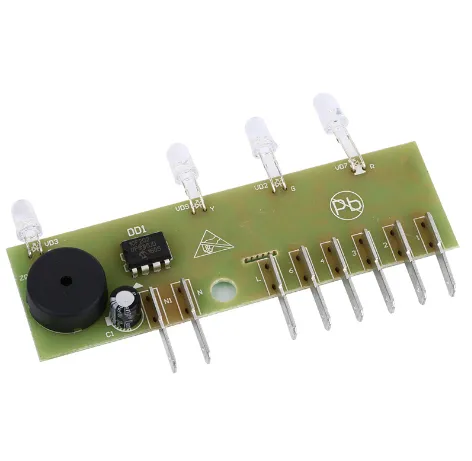
When the normal power supply is interrupted or falls outside the required operating condition, the PCBA needs to recognize the change quickly.
The circuit monitors the incoming power and detects the loss of the normal supply. Once a power failure is identified, the control circuit changes the power path from the normal supply to the backup battery.
This transition is an important part of emergency exit sign design because the LED needs to remain illuminated rather than simply turning off when the main power disappears.
How Does the Backup Battery Take Over?
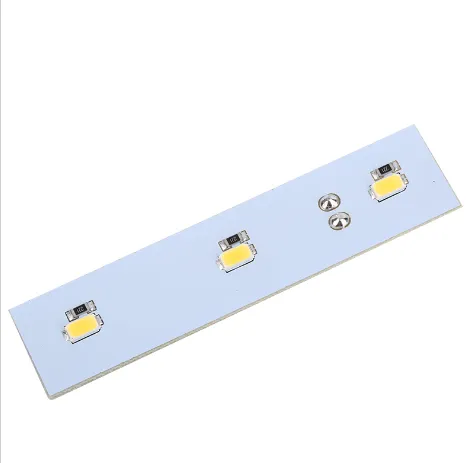
After detecting a power interruption, the PCBA switches the power source to the backup battery.
The battery then supplies energy to the emergency lighting circuit, while the PCBA regulates and distributes the available power according to the design of the exit sign.
The exact battery voltage, capacity, charging method, and backup duration depend on the specific product configuration. Therefore, the PCBA should be designed to match the battery and LED system rather than treated as a universal replacement component.
How Does the PCBA Control the LED?
The LED is the visible part of the exit sign, but stable illumination depends on the electronic circuit behind it.
During emergency operation, the PCBA controls the electrical supply delivered to the LED. The circuit may include LED driving and current-control functions to maintain appropriate LED operation as the battery voltage changes.
This is particularly important during longer backup periods because battery voltage does not remain constant throughout discharge.
What Happens When Normal Power Returns?
When the normal power supply is restored, the PCBA detects the return of the input power and changes the system back to its normal operating state.
The backup battery can then return to its charging state, depending on the circuit design. In this way, the battery is prepared for a future power interruption rather than being left depleted after a single emergency event.
The complete operating sequence can therefore be summarized as:
Normal Power → Power Failure Detection → Battery Switching → Emergency LED Operation → Power Recovery → Battery Charging
What Functions Should an Exit Sign PCBA Include?
The functions depend on the product design, but an Exit Sign PCBA may include:
Not every Exit Sign PCBA uses the same circuit architecture. The required functions should be determined by the finished exit sign, battery system, LED configuration, and applicable product requirements.
What Should Be Considered When Developing an Exit Sign PCBA?
For manufacturers developing or sourcing an Exit Sign PCBA, several factors should be considered before production.
Battery compatibility is important because the charging and discharge circuit needs to match the selected battery.
LED configuration also needs to be considered because the PCB must provide suitable electrical control for the intended LED load.
Input power requirements should be defined according to the target exit sign and market.
In addition, the PCB layout, component selection, thermal conditions, protection functions, and required testing should be reviewed during product development.
For safety-related lighting products, applicable regional standards and the certification requirements of the complete finished product should also be confirmed before mass production.
Exit Sign PCBA from Unixplore Electronics
At Unixplore Electronics, we provide PCBA manufacturing and electronics assembly services for customers developing products such as exit signs and emergency lighting equipment. We can work from customer-provided PCB designs and production requirements, with our manufacturing experience covering PCB assembly and finished electronic assemblies.
For an Exit Sign PCBA project, we recommend confirming the input power, battery specification, LED configuration, required functions, PCB design, and target-market requirements before production so that the assembly matches the intended finished product.
Learn more about our Exit Sign PCBA
During a power failure, an Exit Sign PCBA acts as the control point between the normal power supply, backup battery, and LED lighting system. It detects the interruption, switches the power source, controls emergency LED operation, and can return the system to normal charging operation when power is restored.
Send Inquiry
-
Delivery Service



-
Payment Options